ハビビ、インディアナポリスにいって
Recent Updates
Gels/Adobe
Sample IDs
- Copy and paste sample IDs from excel into Illustrator. Each sample ID should be individual text object.
- if not already individual text objects:
- select all text as object
- Object > Flatten Transparency
- Ungroup
-
Align top sample ID (or ladder ID) with gel column. Align bottom sample ID with bottom gel column. Make sure all other samples are between these two.
-
Go to Window > Align > Show Options. And then press "Vertical Distribute Space"
Repeating Patterns
Establish Pattern by holding option and dragging. With item still selected press Cmd+D.
Productivity:
- News Feed Eradicator: firefox plugin to remove the addicting feed from things like instagram.com and twitter.com, but still allows you to use decent social features like the messaging functions.
My friends:
Other cool guys:
 You can now view some of my drawings on this site. Follow the "view here" link or use the link in the navigation bar. A new drawing will be released daily so long as I have drawings to show.
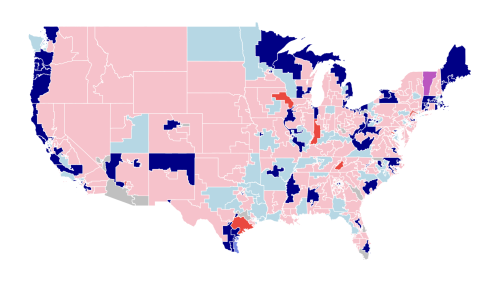 This are the congressional boundaries elected in 2002. Red represents Republicans and blue represents Democrats. Purple represents independent. Lighter shades of each color show that the representative voted FOR the Iraq War. Darker shades show the representative voted AGAINST.
Grey represents districts where the representative abstained or was not present.
A short video made alone on a quiet weekend in Hyde Park.
This are the congressional boundaries elected in 2002. Red represents Republicans and blue represents Democrats. Purple represents independent. Lighter shades of each color show that the representative voted FOR the Iraq War. Darker shades show the representative voted AGAINST.
Grey represents districts where the representative abstained or was not present.
A short video made alone on a quiet weekend in Hyde Park.
 How does George Lucas use the Hero’s Journey in the prequels? We must look towards Padme.
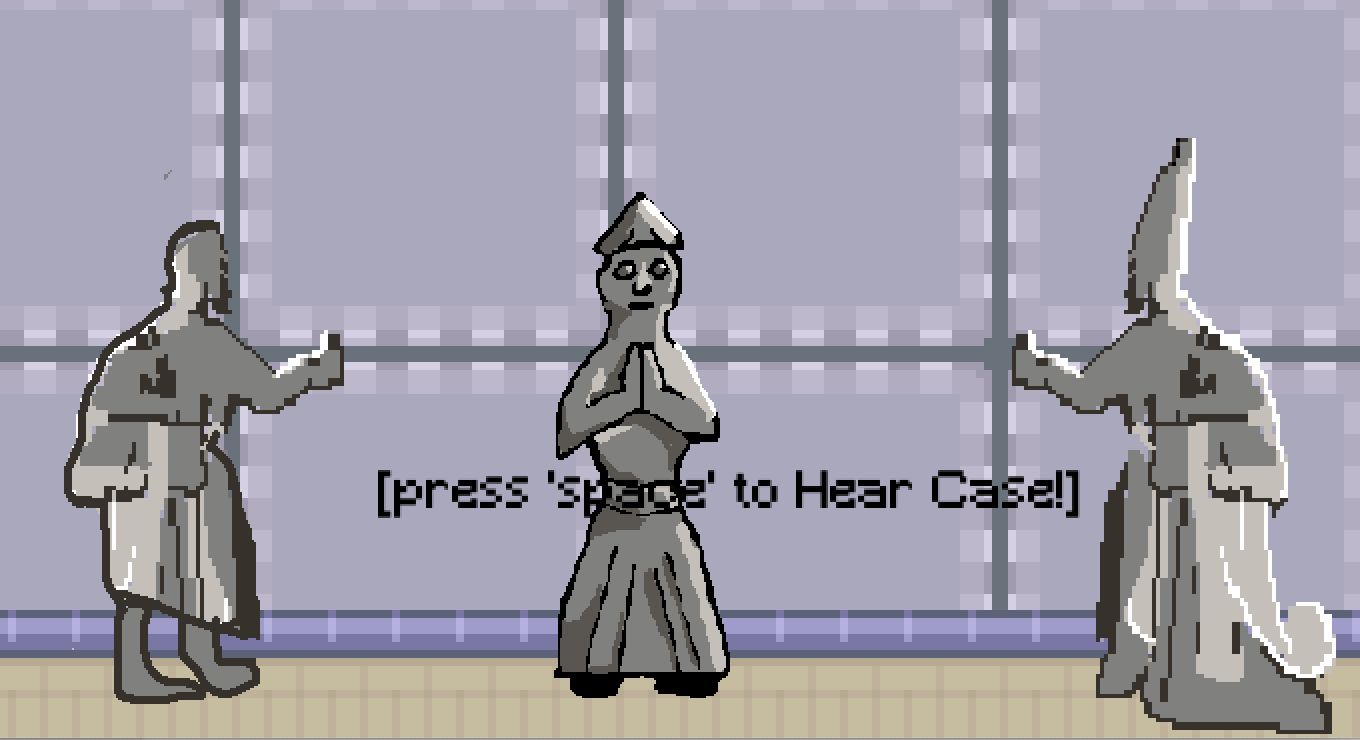 This is a simple video game that quizzes your knowledge of the 200 Hittite laws. It was made using Love2D and aseprite.
Gels/Adobe
Sample IDs
- Copy and paste sample IDs from excel into Illustrator. Each sample ID should be individual text object.
- if not already individual text objects:
- select all text as object
- Object > Flatten Transparency
- Ungroup
-
Align top sample ID (or ladder ID) with gel column. Align bottom sample ID with bottom gel column. Make sure all other samples are between these two.
-
Go to Window > Align > Show Options. And then press "Vertical Distribute Space"
Repeating Patterns
Establish Pattern by holding option and dragging. With item still selected press Cmd+D.
Productivity:
- News Feed Eradicator: firefox plugin to remove the addicting feed from things like instagram.com and twitter.com, but still allows you to use decent social features like the messaging functions.
My friends:
Other cool guys:
You can now view some of my drawings on this site. Follow the "view here" link or use the link in the navigation bar. A new drawing will be released daily so long as I have drawings to show.
This are the congressional boundaries elected in 2002. Red represents Republicans and blue represents Democrats. Purple represents independent. Lighter shades of each color show that the representative voted FOR the Iraq War. Darker shades show the representative voted AGAINST.
Grey represents districts where the representative abstained or was not present.
A short video made alone on a quiet weekend in Hyde Park.
How does George Lucas use the Hero’s Journey in the prequels? We must look towards Padme.
This is a simple video game that quizzes your knowledge of the 200 Hittite laws. It was made using Love2D and aseprite.